How to Create a Robot Vacuum Schedule for Allergy Sufferers: Best Times, Frequency & Tips
Introduction
Allergy sufferers know that dust mites, pet dander, and pollen can accumulate on floors faster than they appear. A well‑planned robot vacuum schedule removes these triggers before they become a health problem. This guide explains how to design a cleaning timetable, choose the right modes, and maintain the device for optimal allergen control. By following the steps, readers will experience cleaner air, fewer sneezes, and more time for daily activities.
What You'll Need
- Uninell Robot Vacuum & Mop Combo – 5000Pa suction, 180 min runtime, multi‑mode control.
- Shark AI Ultra Robot Vacuum – Matrix Clean navigation, self‑empty base, HEPA filtration.
- Eufy E25 All‑in‑One Robot Vacuum – 20,000 Pa suction, HydroJet mop, auto‑empty bag.
- Roborock Q10 S5+ Robot Vacuum – 10,000 Pa suction, 70‑day self‑empty, LiDAR mapping.
- Smartphone with Wi‑Fi, optional voice‑assistant device (Alexa, Google Assistant), and a clean, dry mop pad if mopping is desired.
Step‑by‑Step Instructions
Step 1: Assess Your Home Layout and Allergen Hotspots
Begin by walking through each room and noting surfaces where dust and pet hair tend to settle. Carpets, low‑lying sofas, and under‑bed spaces are typical reservoirs for allergens. Sketch a simple floor plan or use a home‑mapping app to mark high‑traffic zones such as entryways, kitchens, and bedrooms. Understanding the layout enables you to allocate cleaning time where it matters most.
For homes with mixed flooring, a robot that can transition smoothly between carpet and hard floor is essential. The Uninell Robot Vacuum & Mop Combo offers a 5000Pa suction motor that automatically boosts power on carpets while maintaining gentle pressure on hardwood. Its ultra‑slim 2.99‑inch profile reaches under most furniture, ensuring hidden allergen pockets are addressed.
Record the square footage of each area; most robot vacuums display an estimated coverage per charge. This data will inform the frequency you assign to each zone.
Step 2: Identify High‑Allergen Zones and Set Priorities
Allergy experts recommend cleaning bedrooms nightly, living rooms every other day, and entryways daily because these spaces experience the greatest particle turnover. Use the floor‑plan sketch to label zones as "High," "Medium," or "Low" priority. High‑priority zones receive the most frequent cleaning cycles.
If you own pets, the Shark AI Ultra Robot Vacuum is advantageous. Its Matrix Clean Navigation performs multiple passes, and the self‑empty base holds up to 30 days of debris, reducing the need to manually empty a dustbin that could release trapped dander.
Document the desired frequency for each zone in a simple table; this will become the backbone of your schedule.
Step 3: Choose Appropriate Cleaning Modes for Allergen Removal
Most robot vacuums provide distinct modes such as Eco, Standard, and Turbo. For allergy control, select a mode that balances suction strength with battery life. The Eufy E25 All‑in‑One Robot Vacuum delivers 20,000 Pa suction, ideal for deep‑cleaning carpet fibers where dust mites hide. Its HydroJet mop system can be activated on hard floors to capture sticky pollen that a vacuum alone might miss.
When mopping is unnecessary, disable the water function to conserve battery and avoid moisture on carpeted surfaces. The Roborock Q10 S5+ features an ultrasonic carpet‑care sensor that lifts the mop module automatically, preventing accidental wetting of rugs while still providing a vigorous vacuum pass.
Set the robot to operate during low‑traffic hours (early morning or late evening) to minimize disturbance and ensure the device can complete a full‑room pass without interruption.
Step 4: Set Up a Weekly Cleaning Schedule in the App
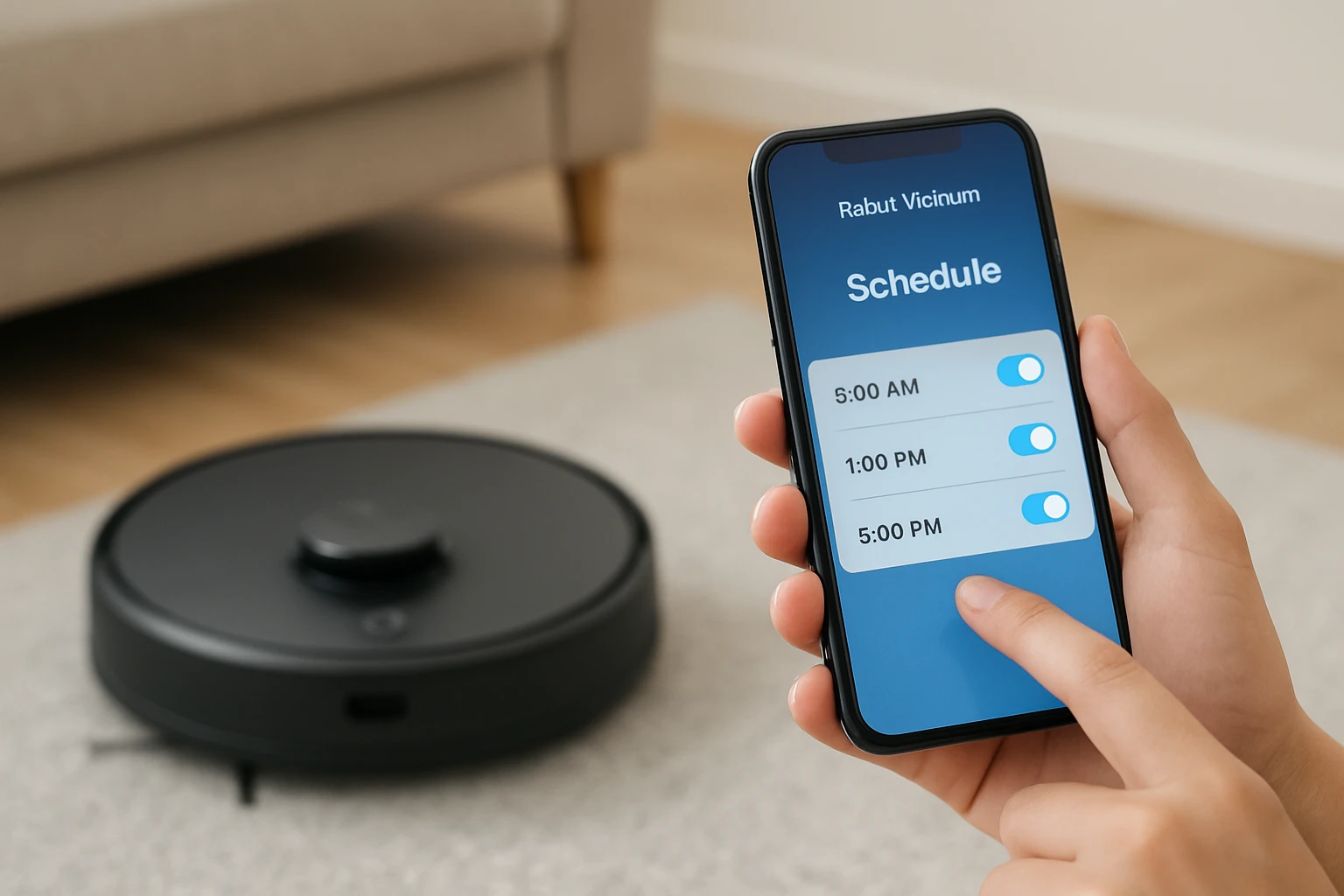
Open the companion app for your chosen robot and navigate to the scheduling interface. Create separate cleaning jobs for each priority zone, assigning the appropriate frequency from Step 2. For example, schedule a nightly run in the master bedroom, a 48‑hour run in the living room, and a daily run in the entryway.
Most apps allow you to specify start times. Choose a time when occupants are likely to be out of the room, such as 7:00 AM for bedrooms and 10:00 PM for living areas. The Uninell Robot Vacuum & Mop Combo supports four control methods—voice, app, remote, and physical buttons—so you can quickly adjust a schedule without opening the app if needed.
Enable the “auto‑recharge” feature; the robot will return to its dock when battery falls below 15 % and resume cleaning once fully charged, guaranteeing complete coverage.
Step 5: Integrate Smart Home Controls for Convenience
Link the robot to Alexa, Google Assistant, or Apple HomeKit to start cleaning with a voice command. Saying, “Alexa, start the bedroom clean,” triggers the specific schedule you created, eliminating the need to open the app each day. Both the Shark AI Ultra Robot Vacuum and the Roborock Q10 S5+ support seamless voice integration.
If you have multiple robots, assign each to a distinct floor plan or zone to avoid overlap. The Roborock’s LiDAR mapping can store up to five floor plans, making it ideal for multi‑story homes where allergens may differ by level.
Set up notifications for low‑dust‑bin or filter‑replacement alerts; timely maintenance prevents the buildup of allergens inside the device itself.
Step 6: Perform Routine Maintenance to Preserve Allergen‑Capture Efficiency
Even the most advanced robot requires regular upkeep. Empty the dustbin after each cleaning cycle, especially if you have pets that shed heavily. The Shark AI Ultra Robot Vacuum’s self‑emptying base reduces this task to a weekly habit, but the bin should still be inspected for clogs.
Clean or replace HEPA filters according to the manufacturer’s schedule; a clogged filter releases captured particles back into the air. The Eufy E25 uses a 3 L bag that lasts approximately 75 days, yet the bag should be swapped when the indicator turns amber.
Brushes and rollers can accumulate hair. The anti‑tangle designs of the Roborock Q10 S5+ and the Uninell feature V‑shaped rollers and dual‑anti‑tangle brushes that reduce manual cleaning time, yet a quick visual inspection each week prevents buildup.
Tips & Pro Tips
- Place virtual walls or magnetic strips to keep the robot out of pet feeding areas where water spills could damage electronics.
- Use a hypoallergenic cleaning solution in the mop reservoir; the HydroJet system on the Eufy model disperses water at 2 times per second for a thorough rinse.
- Schedule a deep‑clean mode (Turbo) once a week on carpeted bedrooms to dislodge dust mites embedded deep within fibers.
- Combine robot cleaning with a HEPA air purifier; removing airborne particles complements floor‑level allergen capture.
- For homes with stairs, set the robot to clean only the main level; most models detect steps and will avoid them automatically.
Troubleshooting
Problem: Robot stops mid‑clean and returns to dock prematurely.
Solution: Verify that the charging dock is unobstructed and that the floor is free of large cords. If the issue persists, check the dustbin sensor; a full bin can trigger an early return.
Problem: Reduced suction on carpet.
Solution: Clean the anti‑tangle brush and ensure the suction mode is set to “Turbo” or “Carpet Boost.” The Uninell’s auto‑carpet boost feature may need to be re‑enabled in the app.
Problem: Mop leaves streaks on hardwood.
Solution: Use distilled water in the HydroJet system and replace the mop pad regularly. Adjust the water‑level slider to a lower setting for delicate finishes.
Conclusion
Creating a robot vacuum schedule tailored to allergy sufferers involves assessing high‑risk zones, selecting suction‑heavy models, and automating cleaning times through smart‑home integration. By following the six steps outlined above, readers can maintain lower airborne allergen levels, enjoy quieter homes, and reclaim valuable time. Regular maintenance and occasional troubleshooting ensure the robot continues to perform at peak efficiency for years to come.
Products Mentioned in This Guide
Frequently Asked Questions
What is the optimal frequency for robot vacuum cleaning to reduce allergens?
Run the robot vacuum daily or at least every other day to continuously capture dust mites, pet dander, and pollen before they accumulate.
Which times of day are best for scheduling a robot vacuum for allergy sufferers?
Schedule cleaning during low-traffic periods, such as early morning or late evening, when the home is less occupied and air circulation is minimal.
How do HEPA filters in robot vacuums help allergy sufferers?
HEPA filters trap microscopic particles, preventing allergens from being released back into the air during vacuuming.
What robot vacuum modes are most effective for allergen removal?
Use high‑suction or deep‑clean modes on carpeted areas and a mop or wet‑wipe mode on hard floors to capture both dry and sticky allergens.
How should I maintain my robot vacuum to keep it allergen‑friendly?
Regularly empty the dustbin, clean the filter, and wipe the brushes to prevent buildup of allergens and maintain suction power.