Ultimate Guide: Integrate Robot Vacuum with Pet Feeder & Litter Sensors for Seamless Pet‑Care Automation
Introduction
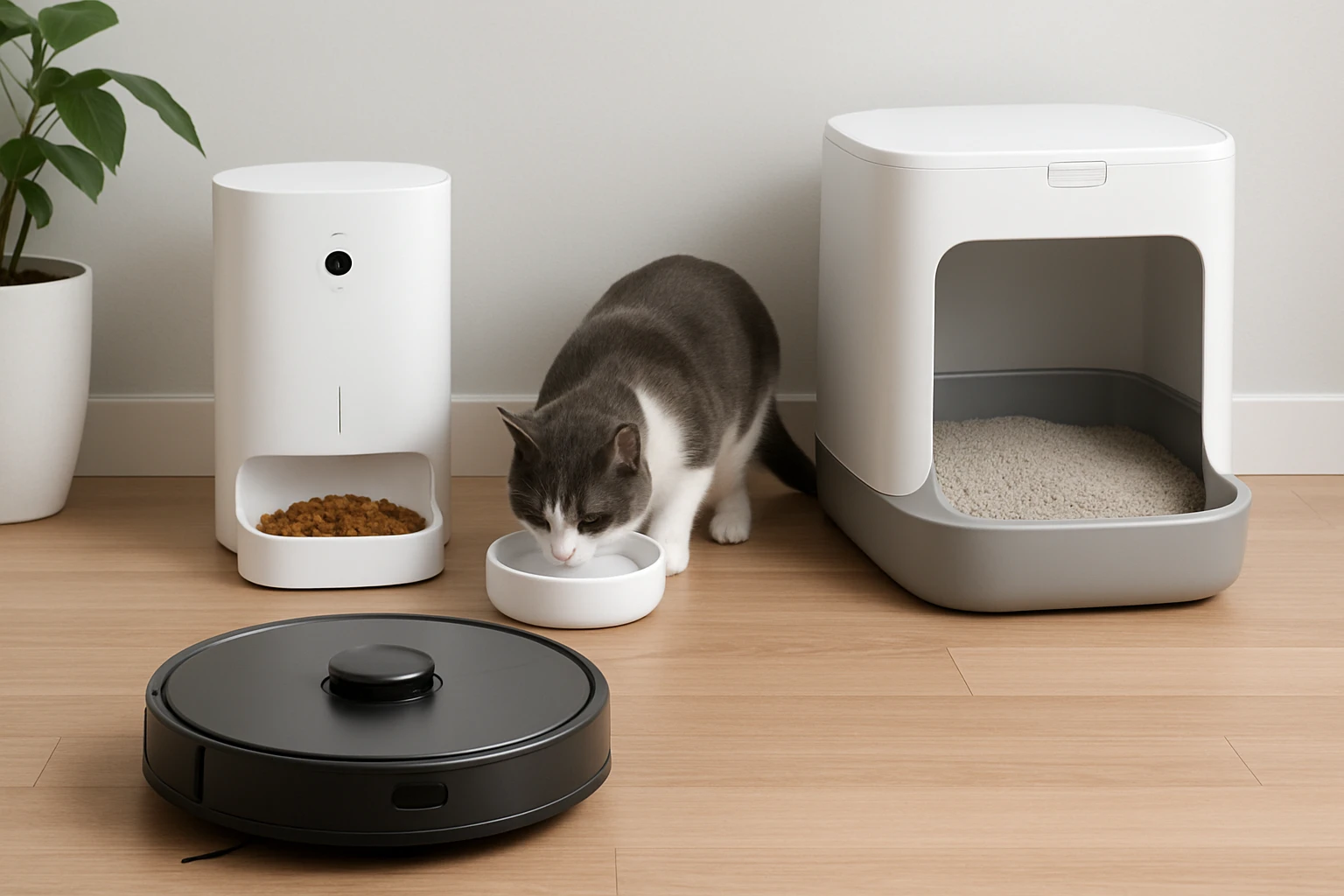
Modern pet owners seek technology that reduces daily chores while maintaining high standards of hygiene and nutrition. This guide explains how to combine a robot vacuum, an automatic pet feeder, and a smart litter box into a unified system. Readers will learn foundational concepts, product recommendations, selection criteria, best‑practice tips, and answers to common questions.
The focus is on creating a reliable, low‑maintenance environment for cats and dogs. By the end of the article, one will understand how each device communicates, how to configure schedules, and how to troubleshoot integration challenges.
Background and Context
Automation in pet care relies on three core technologies: autonomous cleaning, precise feeding, and real‑time waste monitoring. Robot vacuums navigate using lidar or camera mapping, allowing them to avoid obstacles such as food bowls or litter boxes. Automatic feeders dispense measured portions based on programmable timers or smartphone commands. Smart litter boxes provide weight sensing, usage analytics, and self‑cleaning cycles.
When these devices share a common Wi‑Fi network, they can be coordinated through third‑party platforms such as IFTTT or native manufacturer apps. Integration reduces the likelihood of missed feedings, prevents litter overflow, and ensures that the vacuum does not disturb a cat during a bathroom visit.
Understanding the communication protocols—Wi‑Fi, Bluetooth, and cloud APIs—is essential for successful pairing. Most manufacturers supply mobile applications that expose webhook endpoints, enabling conditional actions such as pausing the vacuum when the litter box signals a cleaning cycle.
Key Concepts and Strategies
1. Mapping and Zone Management for Robot Vacuums
Effective zone management prevents the vacuum from entering areas where pets are eating or using the litter box. Users should create virtual boundaries within the vacuum’s app, labeling zones as "Feeding Area," "Litter Area," and "Living Space." By assigning cleaning schedules to each zone, the vacuum can avoid disturbing a cat during peak litter usage times.
Advanced models support no‑go lines that can be drawn on the floor plan. When a litter sensor indicates a cleaning cycle, the vacuum can receive a pause command for the designated zone, preserving quiet operation.
2. Synchronizing Feeding Times with Cleaning Cycles
Feeding schedules should be aligned with litter box cleaning to minimize mess. For example, setting the feeder to dispense meals 10 minutes after a litter cleaning event ensures that any stray debris is already removed by the vacuum.
Many automatic feeders allow API calls to trigger a feeding event. By linking the litter box’s weight‑monitoring webhook to the feeder’s API, one can create a seamless chain of actions.
3. Data Integration and Monitoring
All three devices generate valuable data: vacuum coverage maps, feeding logs, and litter usage statistics. Centralizing this data in a dashboard provides insights into pet health and household cleanliness. Users can track weight trends from the litter box to detect early signs of health issues.
Cloud‑based platforms such as Home Assistant or SmartThings can aggregate these streams, presenting them in customizable widgets.
4. Recommended Product – Mintakawa Auto Cat Litter Box
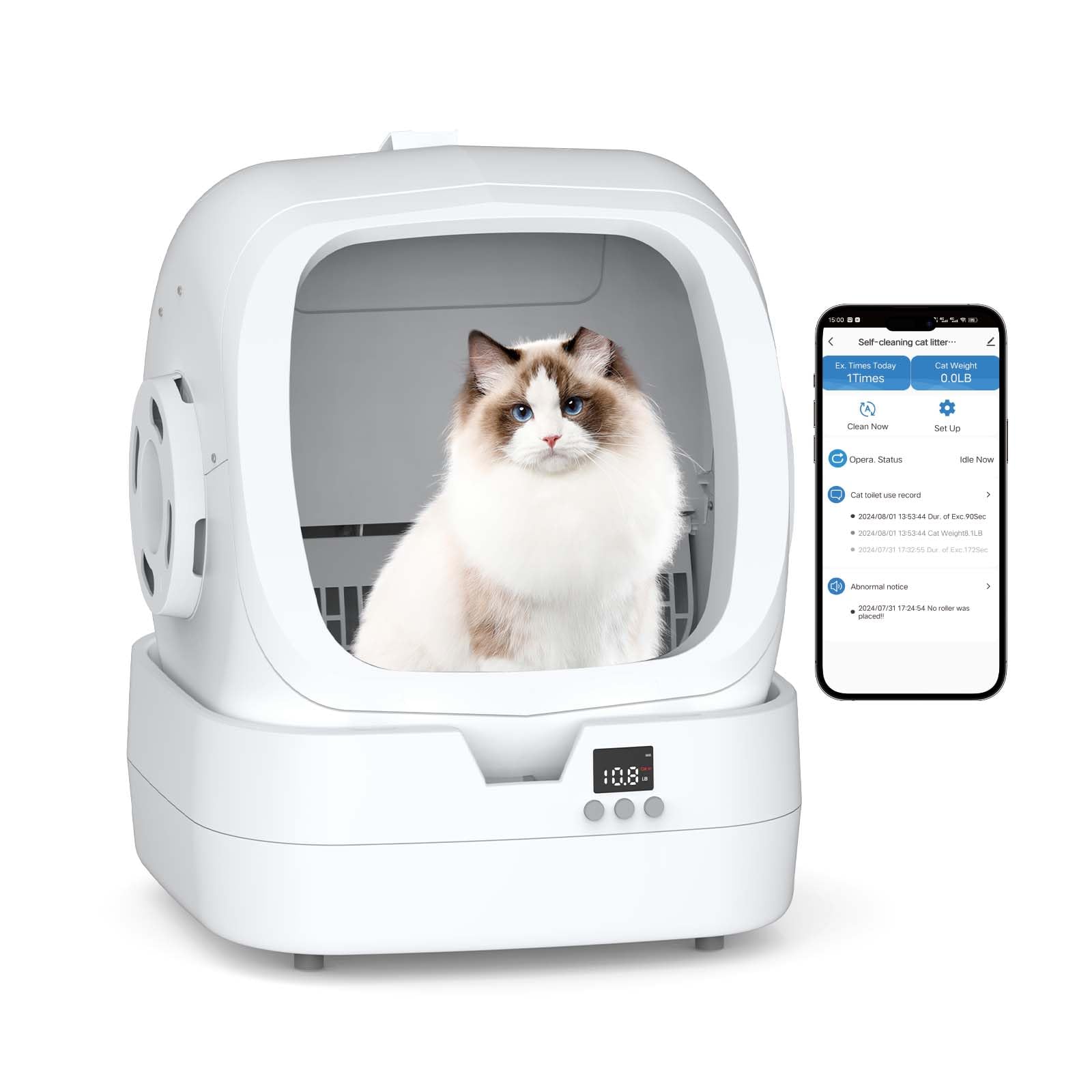
The Mintakawa Auto Cat Litter Box offers low‑noise operation, weight monitoring, and app connectivity, making it an ideal component for an integrated system. Its sound level remains below 35 dB, ensuring that cats are not startled during cleaning cycles. The built‑in scale records each visit, providing data that can trigger feeding or vacuum actions.
Key specifications include accommodation for cats weighing 3.5 lb to 15 lb, a washable drum for easy maintenance, and a 30‑minute assembly process. The product holds a rating of 4.1 out of 5 stars from over one thousand reviews, indicating reliable performance in real‑world households.
Comparison and Selection Guide
Choosing the right devices requires evaluation of several criteria. The table below compares common robot vacuums, automatic feeders, and smart litter boxes based on price, noise level, connectivity, and special features.
| Device Type | Example Model | Price Range | Noise Level | Connectivity | Unique Feature |
|---|---|---|---|---|---|
| Robot Vacuum | iRobot Roomba i7+ | $799‑$999 | 58 dB | Wi‑Fi, Alexa | Automatic dirt disposal |
| Robot Vacuum | Eufy RoboVac 30C | $259‑$299 | 55 dB | Wi‑Fi, App | Quiet Boost mode |
| Automatic Feeder | PetSafe Smart Feed | $149‑$169 | — | Wi‑Fi, App | Portion control to 1 g |
| Automatic Feeder | WOPET Smart Feeder | $119‑$139 | — | Bluetooth, App | Voice recording |
| Smart Litter Box | Mintakawa Auto Cat Litter Box | $129.99 | 35 dB | Wi‑Fi, Bluetooth | Weight monitoring, anti‑pinch safety |
| Smart Litter Box | Litter‑Robot 4 | $499‑$549 | 40 dB | Wi‑Fi, App | Self‑cleaning cycle |
When budgeting, consider the long‑term value of each device. A higher‑priced vacuum may reduce maintenance time, while a mid‑range feeder can prevent over‑feeding. The Mintakawa litter box offers a balance of affordability and data richness, making it suitable for most households.
Best Practices & Tips
- Maintain a dedicated Wi‑Fi band (2.4 GHz) for pet devices to reduce interference from streaming or gaming traffic.
- Place the robot vacuum charging dock away from the feeding station to avoid accidental dislodging of food bowls.
- Schedule litter box cleaning during low‑traffic periods, such as early morning or late evening, to minimize noise impact.
- Regularly clean the vacuum brushes and litter box drum to preserve sensor accuracy.
- Enable firmware updates on all devices; manufacturers frequently release improvements for integration stability.
- Test webhook triggers in a sandbox environment before deploying full automation to avoid unintended feeding or cleaning cycles.
Frequently Asked Questions
- Can a robot vacuum operate while the litter box is cleaning? Yes, if the vacuum receives a pause command from the litter box’s app. Most smart vacuums accept temporary pause requests via their API.
- What happens if the feeder loses Wi‑Fi connectivity? Most feeders default to the last programmed schedule. It is advisable to keep a manual backup bowl to ensure the pet receives food.
- Is the Mintakawa litter box safe for kittens? The device supports cats as light as 3.5 lb, which includes most kittens. The anti‑pinch design prevents injury during the self‑cleaning cycle.
- How often should the litter box drum be washed? Weekly washing is recommended for optimal hygiene. The removable drum simplifies this process.
- Can I integrate these devices with voice assistants? Yes, many manufacturers provide Alexa and Google Assistant skills that allow voice‑controlled commands such as "Start vacuum" or "Dispense food."
- Do I need a separate hub for integration? Not necessarily. If all devices support direct cloud APIs, a single smart‑home platform can orchestrate actions without additional hardware.
- Will the automation increase my electricity bill? The incremental power consumption of a robot vacuum and a smart litter box is modest, typically adding less than five dollars per month.
Conclusion
Integrating a robot vacuum, automatic feeder, and smart litter box creates a harmonious, hands‑free environment for both pets and owners. By mapping zones, synchronizing schedules, and leveraging data from weight sensors, one can achieve a clean home, consistent nutrition, and early health insights. Selecting reliable devices—such as the Mintakawa Auto Cat Litter Box—ensures that the system remains robust and user‑friendly.
Implement the best‑practice tips, monitor performance through a central dashboard, and adjust automation rules as needed. The result is a seamless pet‑care ecosystem that saves time and enhances well‑being.
Products Featured in This Guide
Mintakawa Auto Cat Litter Box
Price: $129.99
Rating: 4.1 out of 5 stars (1,044 reviews)
Featured because it provides low‑noise self‑cleaning, weight monitoring, and app connectivity, which are essential for data‑driven pet‑care automation.