How to Adjust Robot Vacuum Mop Settings After Pet Messes: Best Suction, Mopping & Cleanup Tips
Pet owners frequently encounter unexpected hair, dander and liquid accidents that challenge ordinary cleaning routines. This guide explains how one can optimise robot vacuum‑mop performance to address these issues efficiently. Readers will learn how to assess the mess, modify suction and mopping parameters, leverage self‑emptying docks and maintain the device for long‑term reliability. The information is valuable because it reduces manual labour, extends the lifespan of the robot and preserves a healthier indoor environment.
What You'll Need
- Robot vacuum‑mop with adjustable suction and mop settings (e.g., eufy Omni C20, Roborock Qrevo S5V or eufy E25).
- Clean water for mop pads and a small container for pet‑friendly cleaning solution.
- Spare mop pads or microfiber cloths for high‑traffic areas.
- Smartphone with the manufacturer's app installed.
Step 1: Assess the Mess and Identify Floor Types
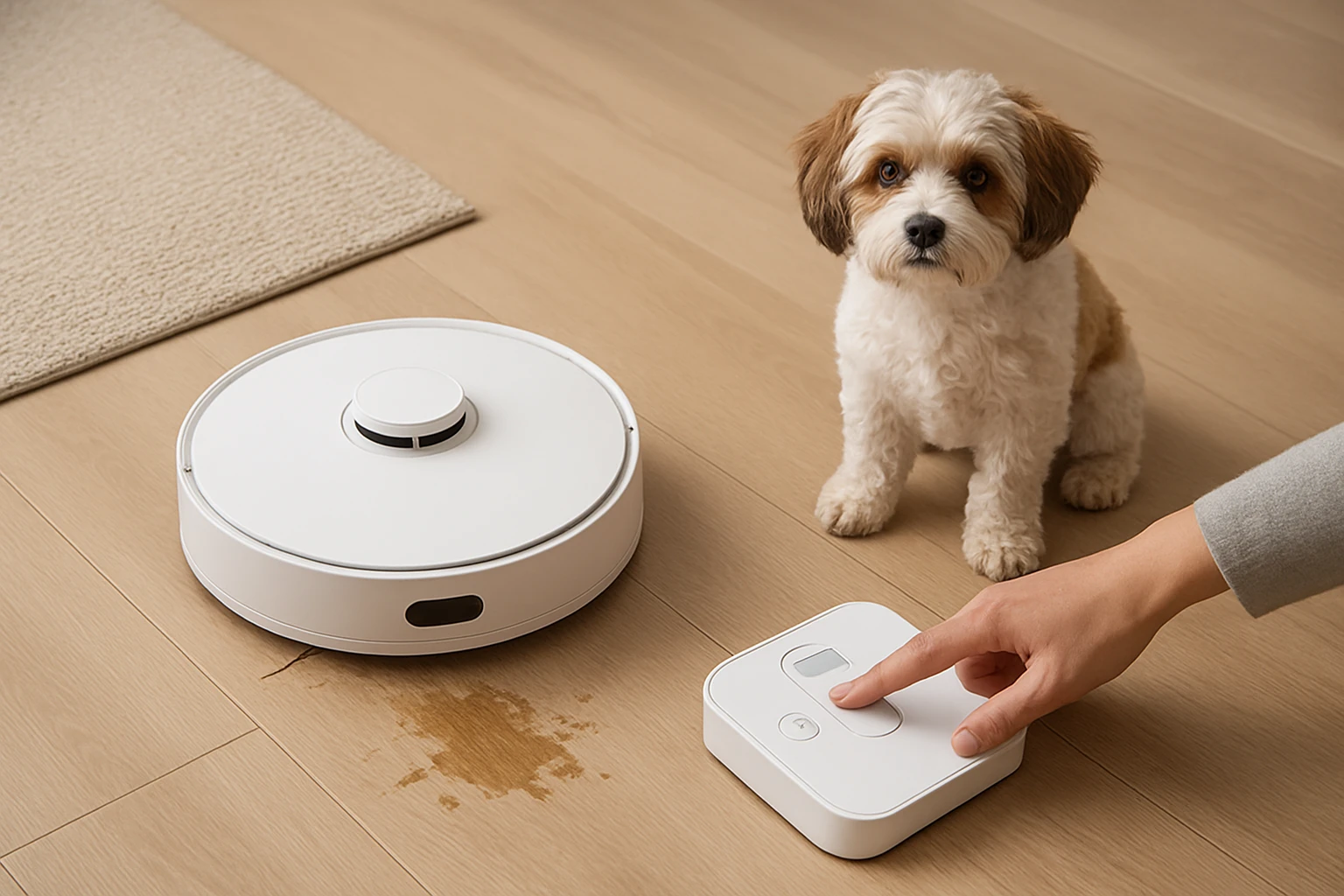
Before altering any settings, one should inspect the affected area to determine whether the mess consists of solid hair, wet spills or a combination of both. Solid hair requires high suction and a detangling brush, whereas liquid spills benefit from a mop that can lift and dry quickly. Identify whether the floor is hardwood, tile, laminate or low‑pile carpet, because each surface reacts differently to suction pressure and mop pressure. Recording this information in the app enables the robot to select the most appropriate cleaning mode automatically.
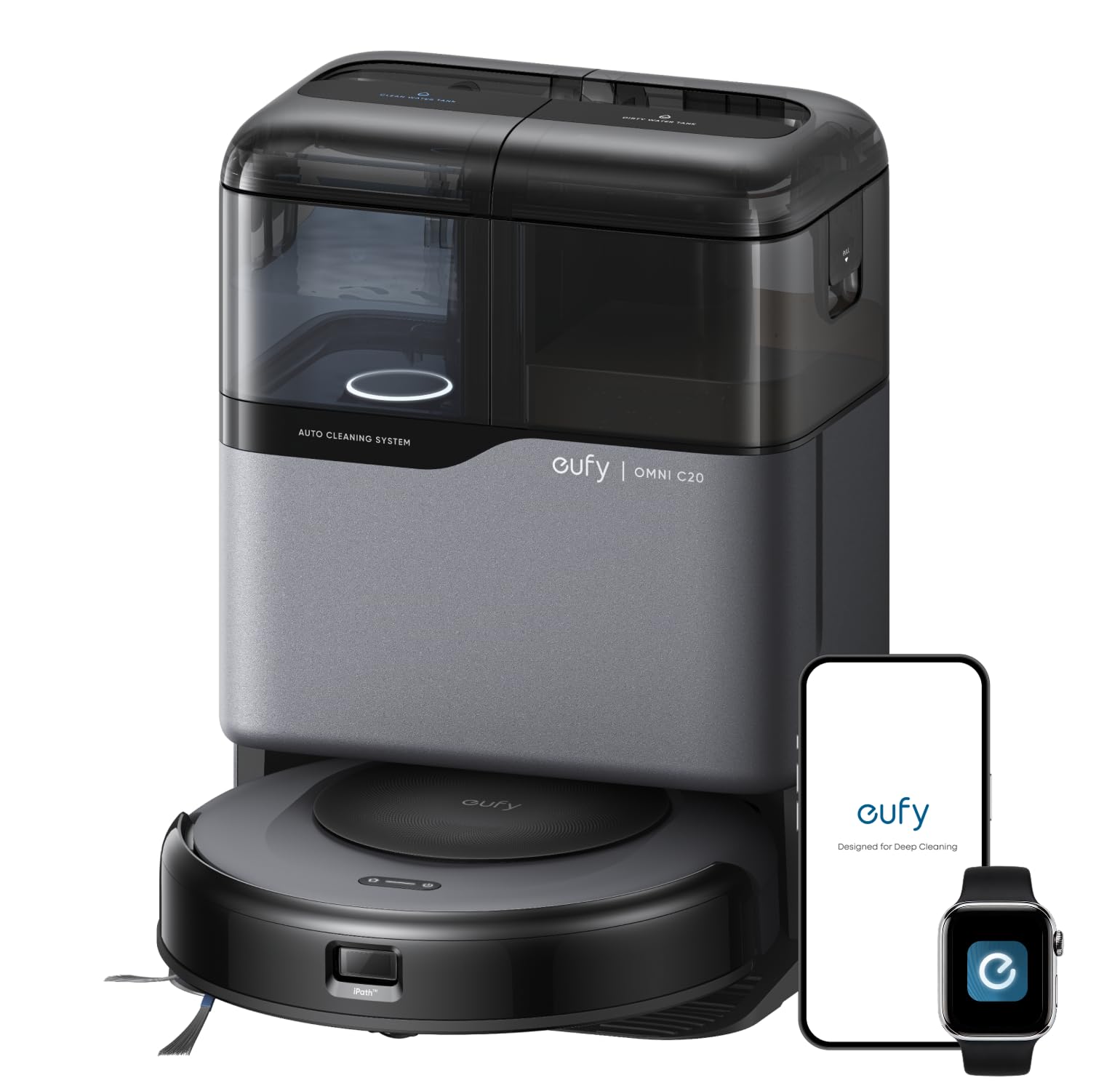
For households with heavy shedding dogs or cats, the eufy Omni C20 offers a Pro‑Detangle Comb that flips down to release hair from the roller brush, making it ideal for step one. Its 7,000 Pa suction adjusts automatically, ensuring that embedded fur is lifted without damaging delicate flooring. The device’s transparent dust‑bin and water tanks provide visual confirmation that the mess has been captured.
Alternatively, the Roborock Qrevo S5V supplies a 12,000 Pa HyperForce suction system, which is particularly effective on thick carpet fibers where pet hair tends to embed. The robot’s SGS‑certified Zero‑Tangle System prevents brush blockage, allowing continuous operation during extensive clean‑ups.
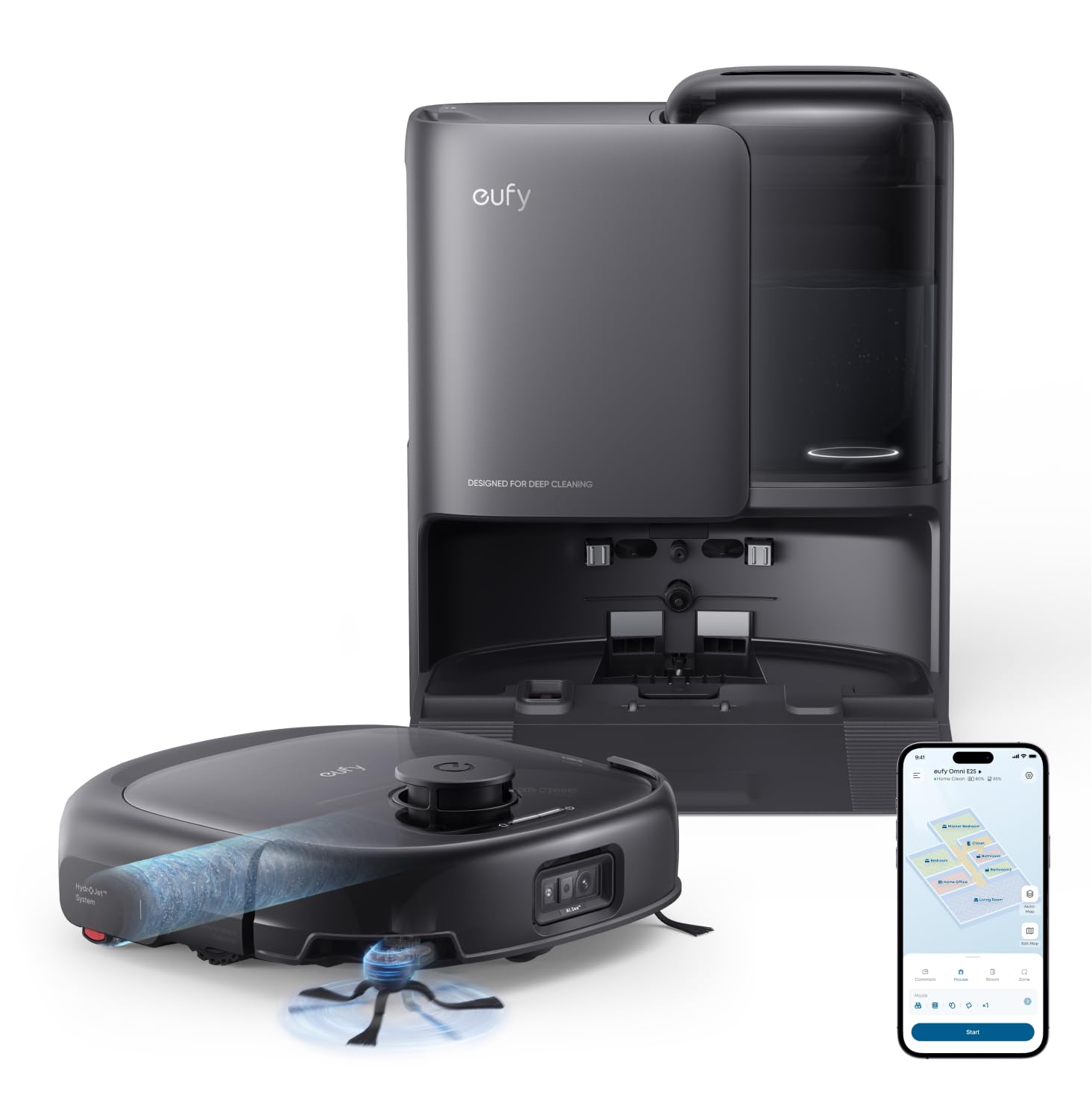
When the mess includes stubborn stains on tile or laminate, the eufy E25 provides a HydroJet roller mop that refreshes water at a rate of two cycles per second, delivering deep cleaning without cross‑contamination.
Step 2: Adjust Suction Settings for Hair Removal
After the assessment, navigate to the robot's app and locate the suction strength slider. Set the suction to the maximum level recommended for the floor type; for carpet, select a value close to 7,000 Pa (eufy Omni C20) or 12,000 Pa (Roborock Qrevo S5V). Higher suction lifts hair from the carpet pile and prevents it from re‑settling on the surface.
The eufy Omni C20 automatically boosts suction based on surface detection, but manual adjustment ensures consistent performance during a pet‑hair event. Its Boost IQ algorithm monitors brush load and increases power when hair density spikes, reducing the need for frequent manual interventions.
For the Roborock Qrevo S5V, enable the “HyperForce” mode in the app. This mode maintains maximum suction throughout the cleaning cycle, which is essential when the robot encounters large clumps of fur. The device also features a dual‑zero‑tangle brush that resists hair wrap, decreasing downtime for brush cleaning.
When using the eufy E25, select the “Power‑Boost” option, which raises suction to 20,000 Pa, the highest level offered by this model. This setting is particularly useful on short‑pile carpet where pet hair can become densely packed.
Step 3: Configure Mopping Parameters for Spills
Liquid accidents require careful calibration of mop pressure and water flow. Open the app and locate the mop‑control panel. Set the water‑flow level to a medium setting for most spills; increase to high only for sticky residues such as food sauces.
The eufy Omni C20 applies six newtons of downward pressure at 180 RPM, which scrubs dried stains while the mop pad remains moist. Its auto‑lift feature raises the mop when carpet is detected, preventing water damage. This dual‑functionality makes it the optimal choice for mixed‑surface homes.
Roborock Qrevo S5V’s FlexiArm design extends the mop arm up to 10 mm, allowing it to reach under furniture legs while maintaining a safe lift for low‑pile carpet. The spinning pads operate at 200 RPM, mimicking hand‑mopping for stubborn spots. Users can adjust water flow across thirty levels, providing granular control for delicate hardwood.
For the eufy E25, the HydroJet system continuously refreshes the roller mop with clean water, ensuring that each pass uses fresh liquid. The mop lift of 10.8 mm protects short carpet, while the 21 mm climbing ability navigates thresholds without spilling water onto lower floors.
Step 4: Leverage Auto‑Empty and Self‑Cleaning Features
Pet households generate dust and hair at a faster rate, making frequent emptying of the dustbin impractical. The eufy Omni C20’s Omni Station automatically empties the dust into a 3.1 L bag, providing up to sixty days of operation for a three‑person household without pets. This feature reduces manual handling of dirty debris, which can trigger allergies.
In addition, the same station washes and dries mop pads using room‑temperature air, consuming only 1.56 W per hour. The transparent tanks allow users to monitor water levels at a glance, ensuring that the robot never runs out of cleaning solution mid‑cycle.
The Roborock Qrevo S5V includes an all‑in‑one smart dock that not only empties dust into a ten‑week storage bin but also self‑washes mop pads and employs hot‑air drying. The dock’s auto‑refill function replenishes the water tank for continuous mopping across up to 3,552 sq ft, which is advantageous for large homes with multiple pets.
Although the eufy E25 also features an auto‑empty dust bag (3 L capacity lasting approximately seventy‑five days) and self‑washing mop pads, its hot‑air drying operates at 50 °C, providing faster turnaround for high‑traffic areas.
Step 5: Schedule, Monitor and Fine‑Tune Cleanings
After configuring suction and mop settings, create a cleaning schedule that aligns with the pet's routine. Set the robot to run after the pet’s feeding time, when shedding typically increases. Use the “No‑Go Zones” feature to protect delicate items such as pet food bowls or litter boxes.
Both the eufy Omni C20 and Roborock Qrevo S5V support voice commands via Amazon Alexa or Google Assistant, allowing users to start, pause or adjust cleaning without opening the app. This hands‑free capability is especially useful when one’s hands are occupied with pet care.
Monitor cleaning logs within the app to identify patterns. If the robot consistently misses a spot, increase the number of passes or adjust the zone cleaning parameters. The eufy Omni C20’s “Zone Cleaning” lets users mop the same area twice, which is effective for sticky pet stains.
Finally, perform a monthly deep‑clean of the robot’s brushes and sensors. Even with advanced detangling systems, hair can accumulate over time, reducing efficiency. Regular maintenance ensures that the robot continues to deliver optimal suction and mop performance.
Tips & Pro Tips
- Place a small mat at the entrance to capture excess pet hair before it reaches the main floor; this reduces the robot's workload.
- Use a pet‑friendly cleaning solution mixed with water to avoid irritating animal skin while enhancing stain removal.
- When using the FlexiArm on the Roborock Qrevo S5V, lower the mop lift to 5 mm for hard‑floor mopping and raise it to 10 mm for low‑pile carpet.
- Enable the “Quiet Mode” during nighttime to minimise noise while the pet sleeps.
- Regularly check the transparent water tanks on the eufy Omni C20 to ensure the clean‑water level is sufficient for the scheduled mop run.
Troubleshooting
Problem: Robot stops mid‑cycle due to a full dust bag.
Solution: Verify that the Omni Station or Smart Dock is correctly connected to power and that the waste bag is not clogged. Replace the bag if it appears saturated.
Problem: Mop pads leave streaks on hardwood.
Solution: Reduce water‑flow level and ensure the mop pad is properly seated. Use the HydroJet system on the eufy E25 for continuous fresh water, which reduces residue.
Problem: Robot repeatedly collides with a piece of furniture.
Solution: Add a “No‑Go Zone” in the app or adjust the robot’s height clearance settings if available. The eufy Omni C20’s ultra‑slim 3.35‑inch profile helps navigate low‑clearance spaces.
Conclusion
By following these steps, one can reliably adjust robot vacuum‑mop settings to handle pet hair, dander and liquid accidents. Selecting the appropriate device—whether the eufy Omni C20 for its all‑in‑one station, the Roborock Qrevo S5V for extreme suction, or the eufy E25 for HydroJet mopping—enhances cleaning efficiency and reduces manual effort. Consistent scheduling, proper maintenance and thoughtful use of advanced features ensure a spotless home that remains comfortable for both occupants and pets.
Products Mentioned in This Guide
Frequently Asked Questions
How do I increase suction on my robot vacuum‑mop for pet hair and dander?
Select the high‑suction mode in the app or on the device, and raise the suction level to maximum for carpeted areas or heavy hair buildup.
What mopping settings work best for liquid pet accidents?
Set the mop to a wet‑mop or deep‑clean mode, use a pet‑safe cleaning solution, and enable extra water flow for thorough spill pickup.
Can I use the self‑emptying dock to handle pet mess debris?
Yes, activate the auto‑empty feature; the dock’s filter captures hair and dander while the debris bin stores solid waste for later disposal.
How often should I replace mop pads after cleaning pet messes?
Replace or wash mop pads after each wet clean or when they appear visibly soiled to maintain cleaning efficiency and hygiene.
What maintenance steps keep my robot vacuum‑mop reliable with frequent pet use?
Regularly clean the brush roll, clear the filter, check the water tank for residue, and run a self‑diagnostic check monthly.